Froogle. It's a name I thought of a few weeks ago while pondering how to move money around and keep it in the hands of more creators. Hmmmm... I thought. What if there was a Google run by someone with a soul, who wanted to eliminate waste and didn't care about selling anything? What if we just made tools for humans because we love them and want to share our skills with them? How can I give more away so that others can stand on my shoulders and climb from there?
I want a new generation of thinkers and dreamers. I know it's costly... It's scary to think that someone who wants to create won't have the means to do so. It's unbearable. It drives me. I'd like to make it easier for all the dreamers, and to make room for more of them.
How do we do that? I thought... I don't have tokens or money or AI machines. I do have about 30 years of using software and tools though, and that is a shit ton of systems and machines I've had to control or manage. If I think hard enough I can sketch out most of those tools in my mind. So I thought... in all that there are useful things. I might take a pass at making tools for humans that they could own.
Then some time passed while I thought through what those tools might be. I wasn't sure where to start. But one night recently I was scrolling and tabbing through browsers, watching reels and Homestar Runner videos. Pour hot soup in Homestar's eye, eh? Or other deep cuts on the internet at 2 a.m.
And there it was, a reel about a team that "remade" Photoshop. I was intrigued. But more than that I was excited that others are out there doing things like this. They were working to give people back what Adobe took from us years ago. Owning your software. We spend, and spend, and spend. But when does it end?
I added it to my collection. Welcome to the dawning of the age of "Froogle". Where we claw it all back from our technocratic feudal lords and their billionaire backed leeches.
Ding. Your plane will be arriving soon. Fasten your seatbelt.
I'd be tickled to survive another 50% of my life if it means I get to see this from the front row.
The kids are alright.
I mean, I hope they are at least. So I did a road test on 22 tools I've had stockpiled, some from indie devs and others from the big bois, including these newly discovered Adobe remakes. I wanted to highlight them for anyone looking to use or learn these OSS tools and show how to get started. Here's the hot take(s) so far...
These tools can already do the core of the job their paid counterparts do. Not all of it. But the exciting news is they've got time on their side... time to finish the job and go beyond it. If you're a student, a freelancer, or a small shop, and you're thinking about cancelling Adobe, learning to edit video, starting a channel, or even building tools of your own... you need to take note of some or all of these.
I'm running an M4 MacBook Air, fwiw, and drove all of these using agents across opencode and Antigravity. Use models that support audio, video, text, and images. I had the agents build every one and then actually use it while I watched.
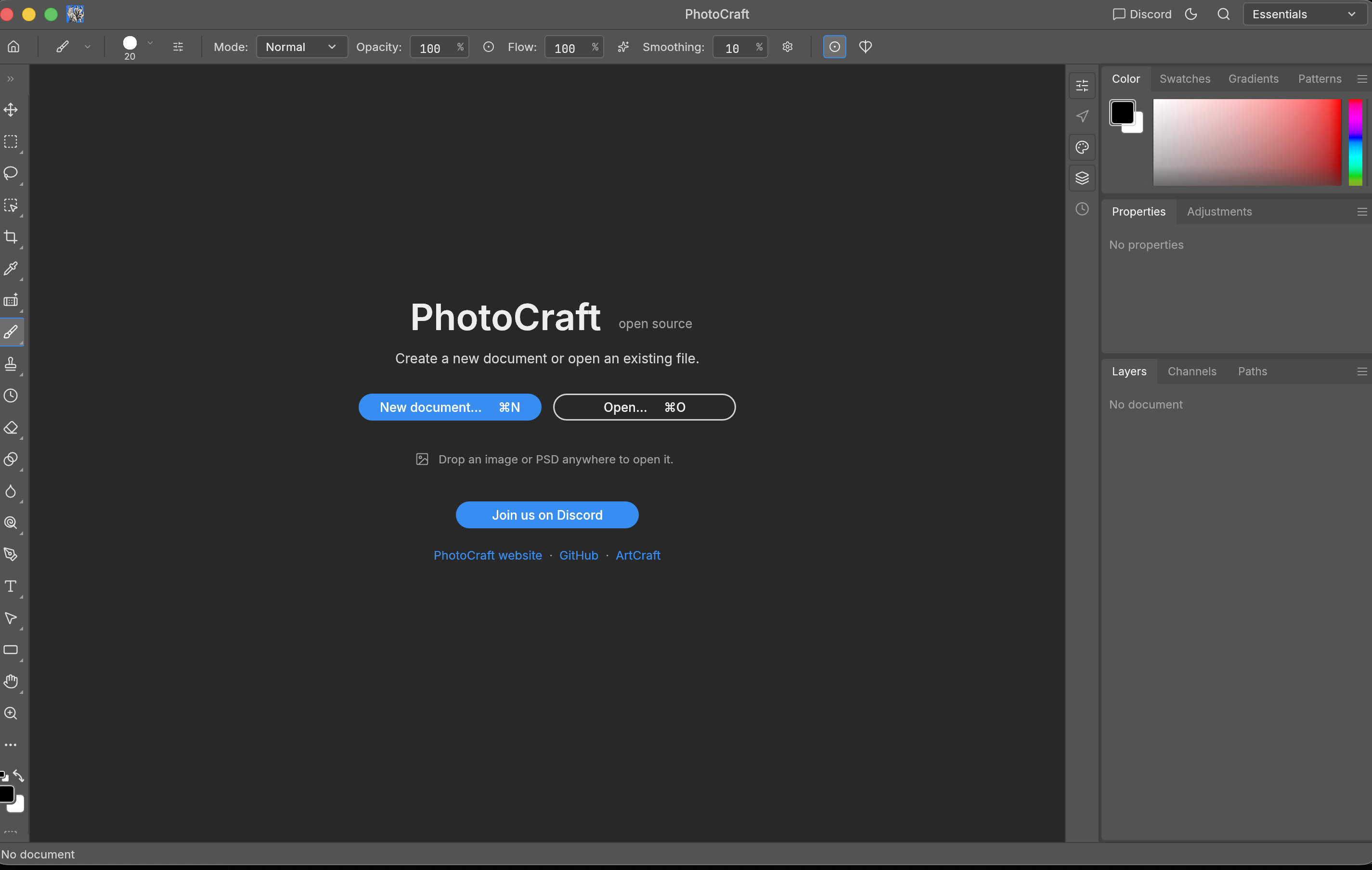
The getartcraft.com team makes these amazing tools you can drive with AI agents, which makes me very happy. I started with the free Photoshop. They call it PhotoCraft. And it works... like, actually works. It took about four minutes to build on my laptop. I opened a picture, flipped it to a negative, and watched it happen. Screenshots below. Is it Adobe? No. They call it "early alpha" themselves and they're right. But I was sitting there editing a photo in software I own... and that felt like something.
And then it just kept happening. The free Illustrator... I drew two shapes, smooshed them together, and saved it out clean. The free Premiere... two clips, a cut, a fade between them, a little blur, and out came a seven second video. No cloud. No account. The Lightroom one, the After Effects one, the InDesign one, the PDF one... all of them built and all of them did the thing. Seven for seven.
After the Adobe subscriptions set sail, I looked at some more AI stuff. That's what really got me. I dug into Whisper & a few others. Whisper is the one that listens, from the whisper.cpp folks, and it wrote out a clip in under half a second... On my laptop. Nothing sent anywhere. Then ComfyUI, which makes images. I made one in about 23 seconds and touched it up in PhotoCraft... that's the picture at the top. Zero dollars and it never touched the internet. Apple has their own stuff for running AI on a Mac, MLX, and I had a language model spitting out 228 tokens a second on it. And Meta has a cutout tool, Segment Anything 2, that looked at a photo of a parked truck and found forty different things in it.
Then we did something even more ambitious. Clicking around in desktop apps is great for humans, but what about autonomous coding agents? What happens if you take the GUI away entirely and turn every tool into a headless command line binary and an MCP server? Photoshop as a terminal command. Illustrator as a terminal command. Lightroom, InDesign, Premiere, Acrobat - all running headless, native, on Apple Silicon, callable by Claude, OpenCode, and Antigravity without a human touching a mouse.
Instead of waving our hands, we ran deterministic proof benches directly on my laptop and kept the before/after receipts:
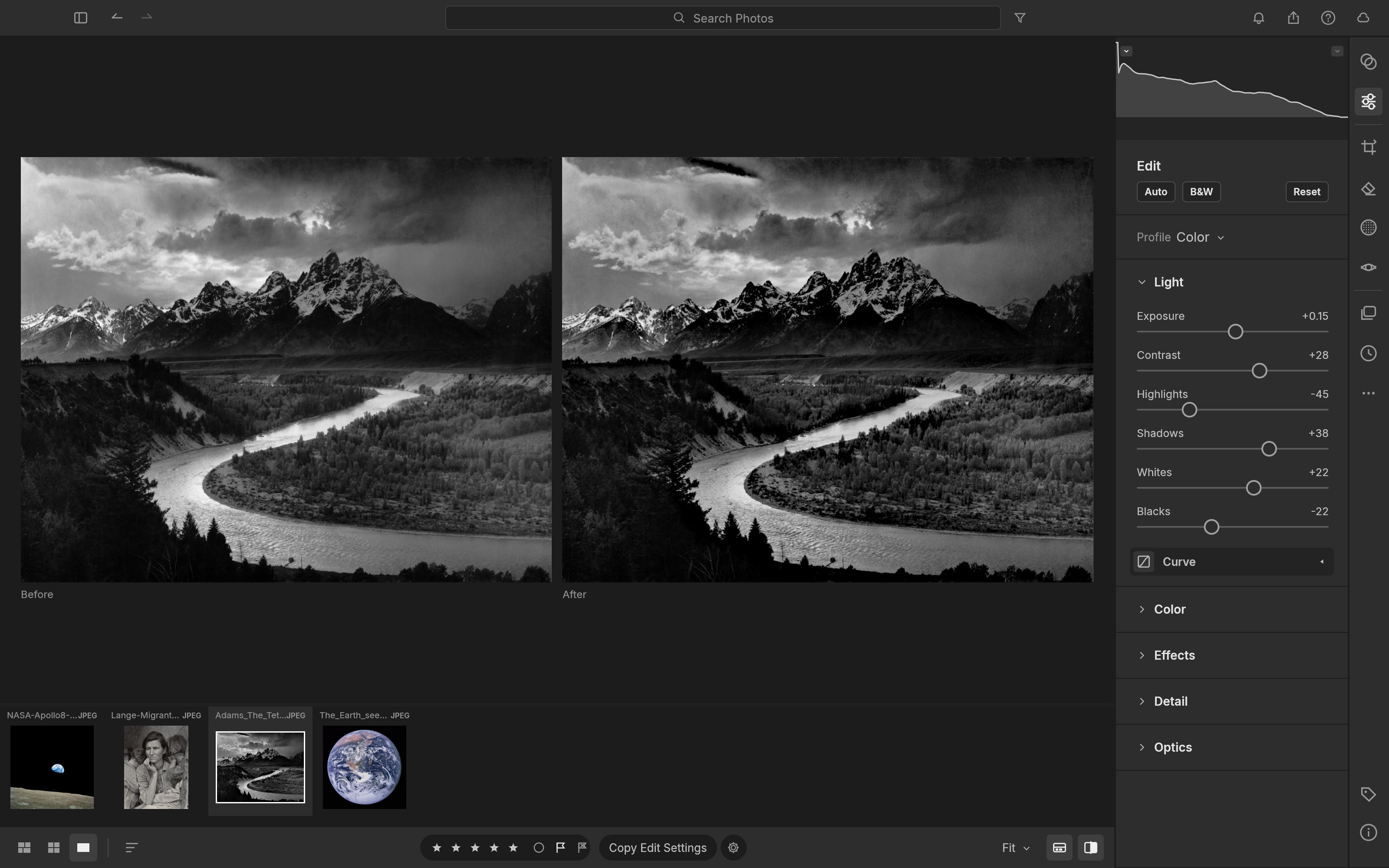
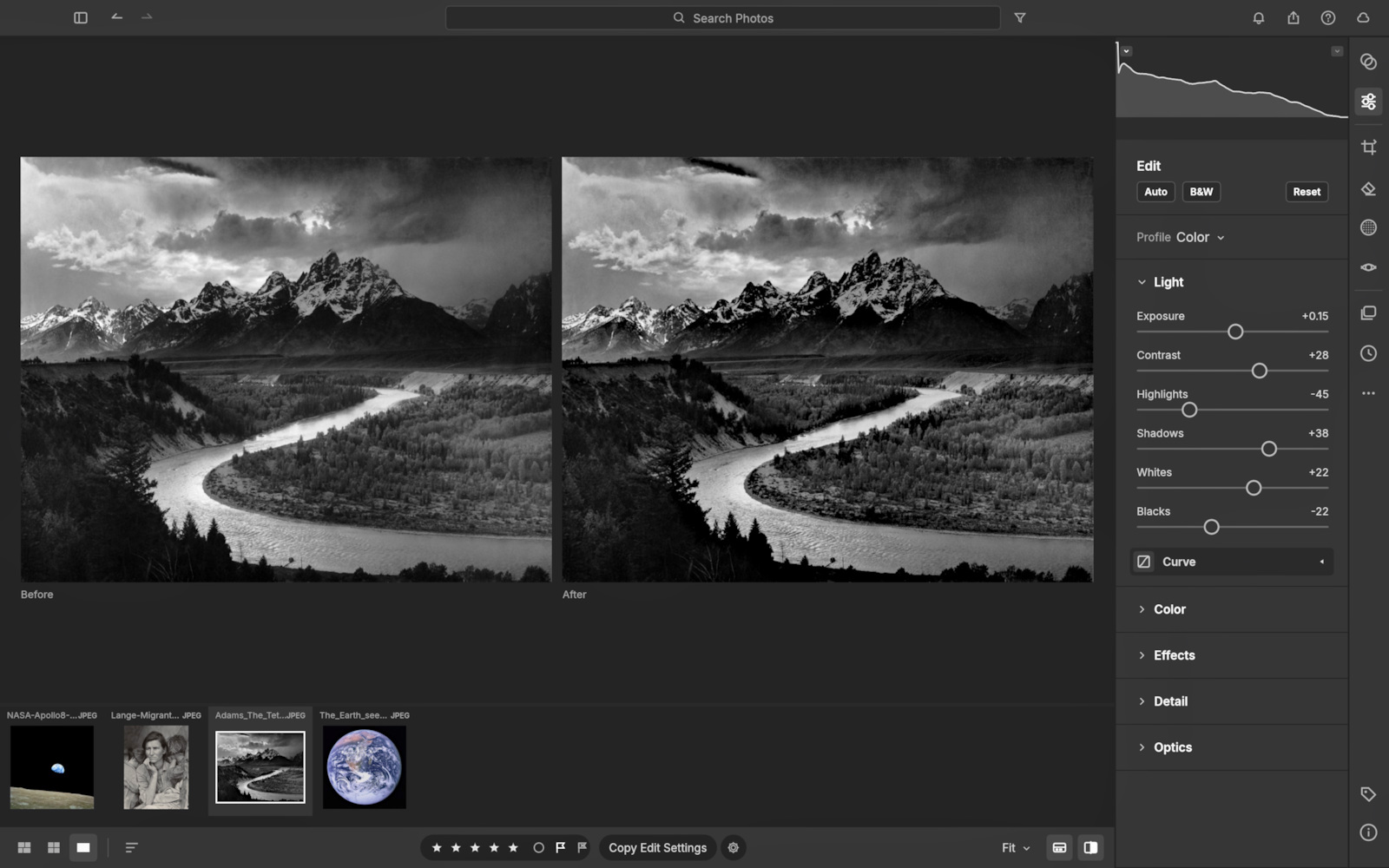
Workflow 1: a raw flat camera shot of the Grand Tetons goes into lightcraft-cli, gets parametric tone curves (+0.45 EV exposure, +18 contrast, -25 highlights, +30 shadows), converts to Display P3 color space, and exports a 300 PPI production JPEG in 529 milliseconds. No subscription. No Adobe Lightroom Cloud sync.


Workflow 2: a 32-pixel raster icon goes into vtracer with speckle filtering, runs through svgo for multi-pass path optimization, renders a pure-Rust retina preview via resvg, and converts directly into a native .vectorcraft artboard canvas format in 1.79 seconds.
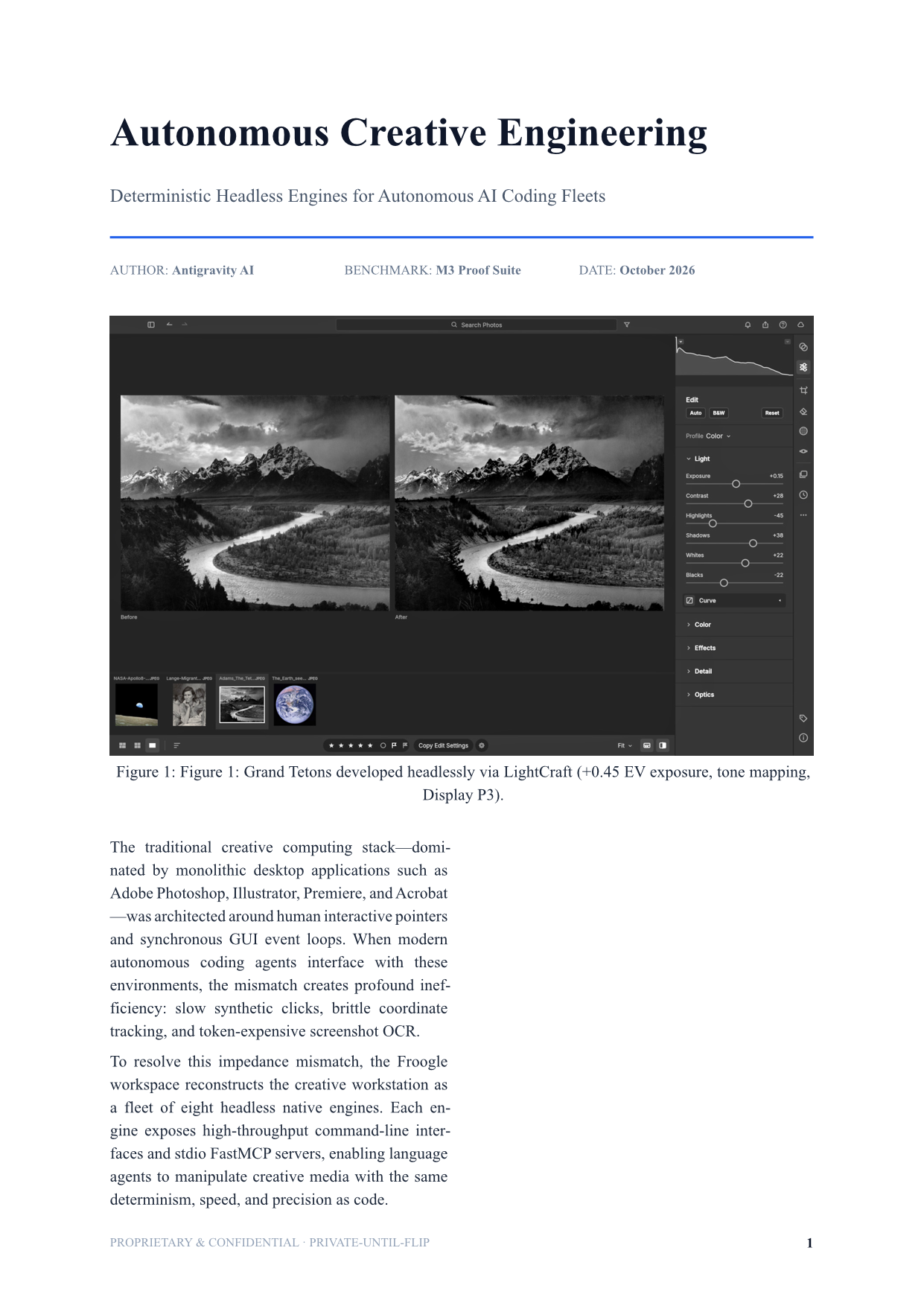
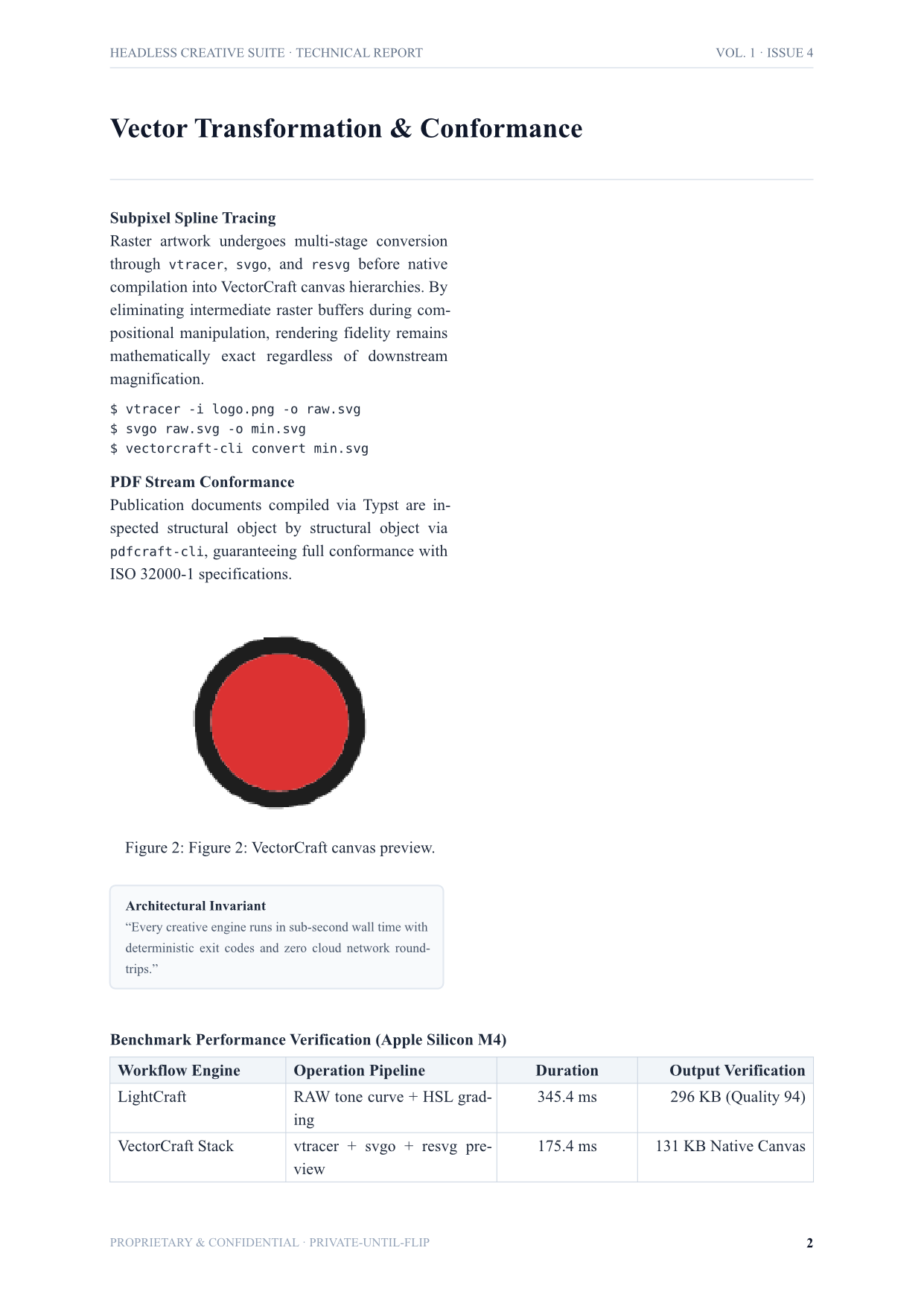
Workflow 3: a multi-page editorial magazine in typst embeds both the developed photo from Workflow 1 and the vector artboard from Workflow 2. It compiles directly to a tagged PDF, audits the page geometry and font tables via pdfcraft-cli info, and runs stream linearization and structural verification via qpdf --check. Total pipeline wall time: 2.75 seconds.
Across the entire suite - photo development, vector artboard conversion, and multi-page editorial publishing - the total wall time is five seconds flat. On a laptop. Without cloud servers, API tokens, or Adobe licensing keys.
Today, Froogle isn't just 22 tools - it's a pinned, reproducible shelf of 95 creative, media, and document tools with automated bootstrap and MCP servers that any AI agent or creator can spin up with a single shell command. Here's how the shelf is structured today...